

The problem
An expiry tracker that could not keep a history
The provider manages licences, medical cards, registrations, insurance and similar documents, each with its own expiry rules, for the trucking companies it serves.
- An off-the-shelf expiry tool cost $4,000 a year and did not fit how the business worked
- Replacing a document overwrote the old one, so there was no audit trail
- Clients had no direct view of their own fleet’s compliance
- Reporting was limited, so status updates meant manual work
What we built
A platform built around the document
We started with how documents, expiry rules and client reporting really worked, then designed the data model around them.
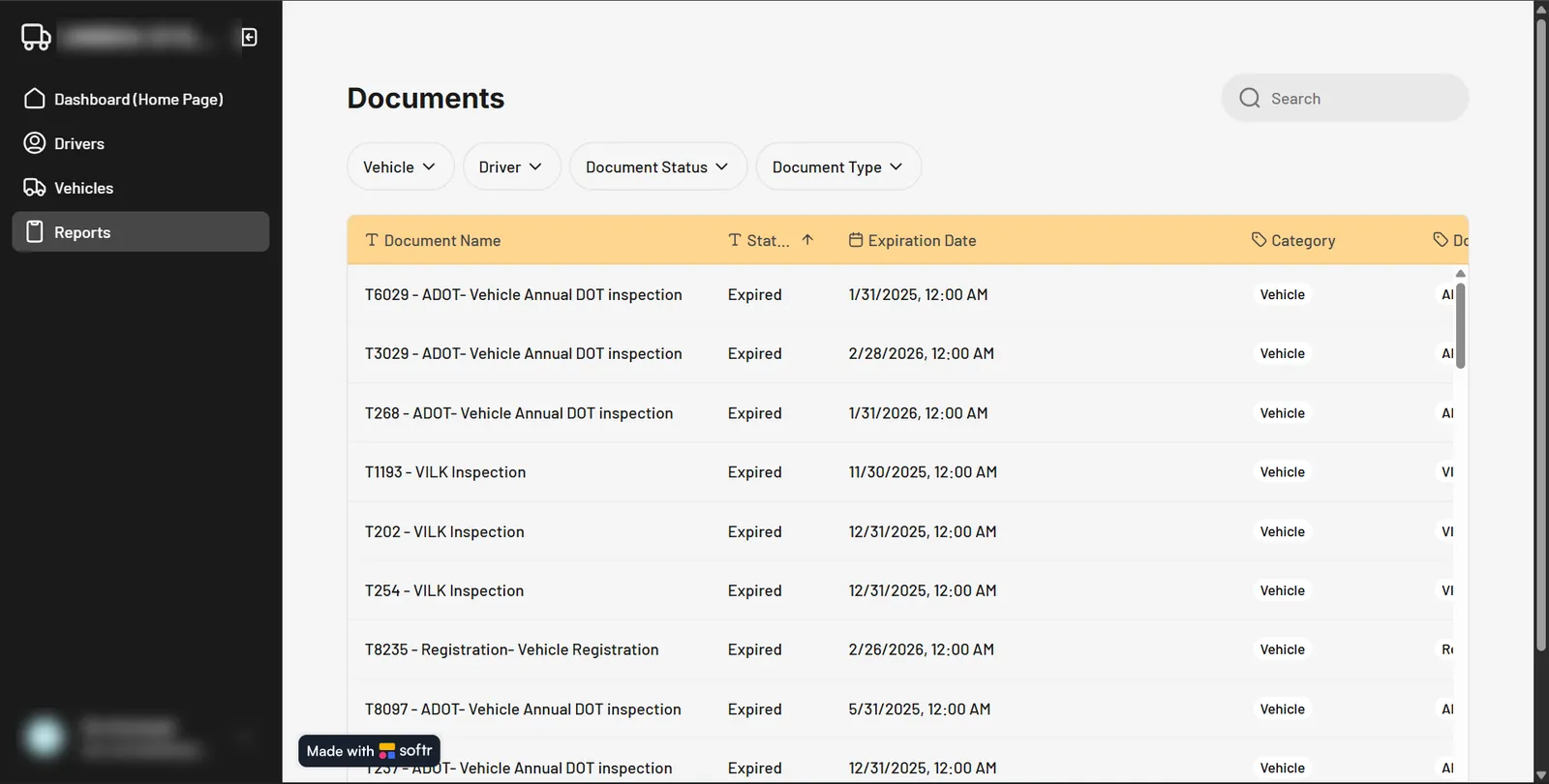
Status comes from the documents
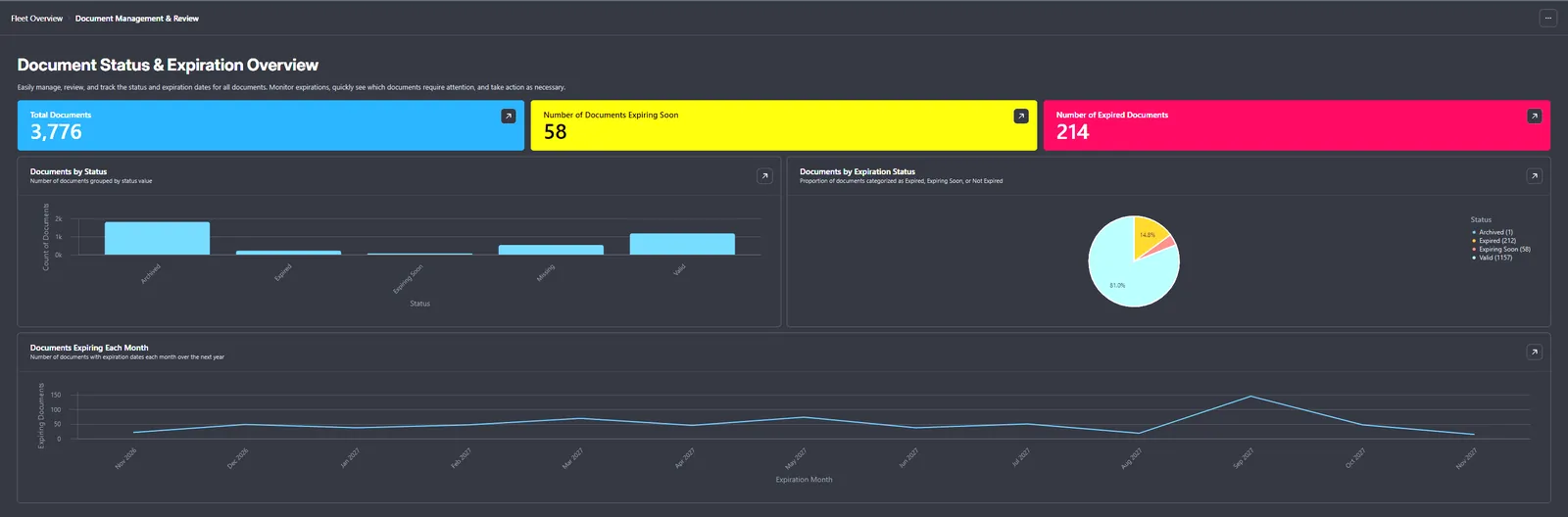
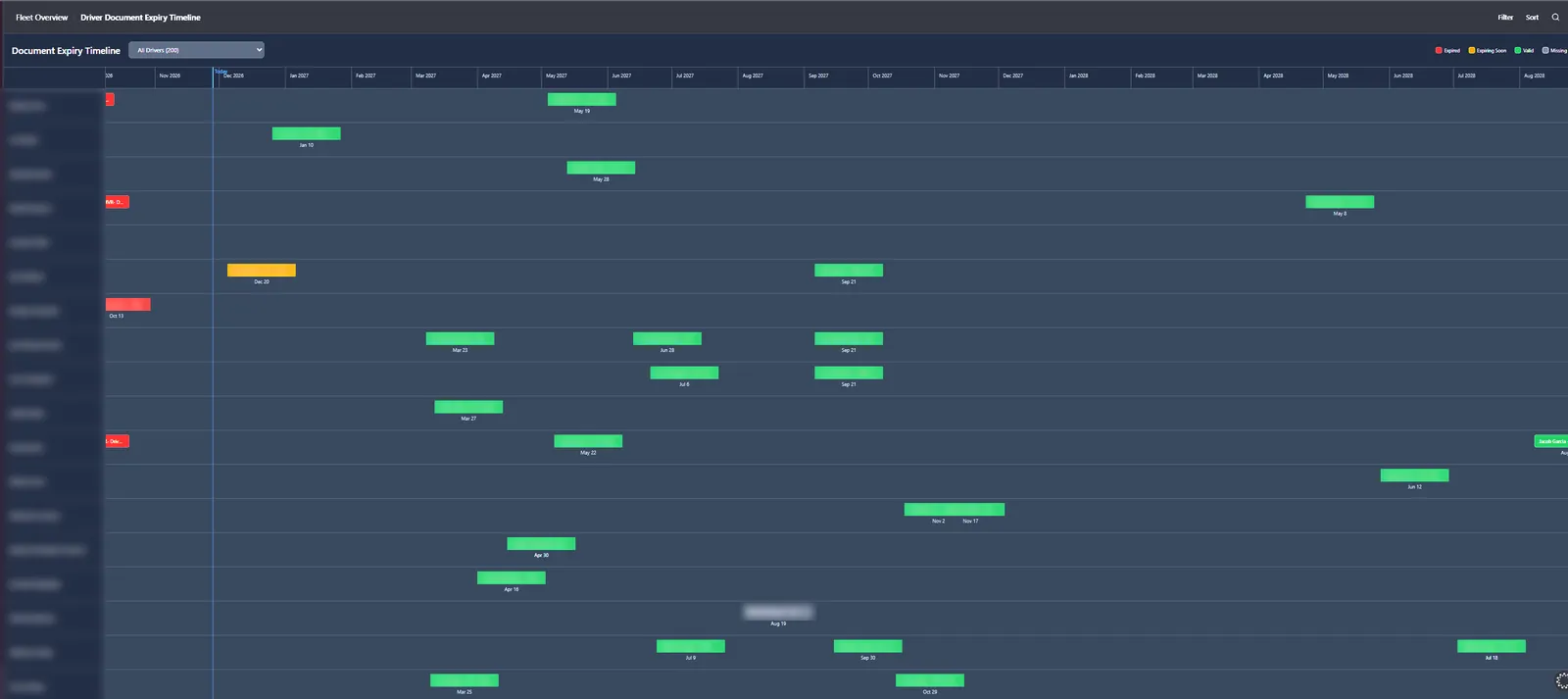
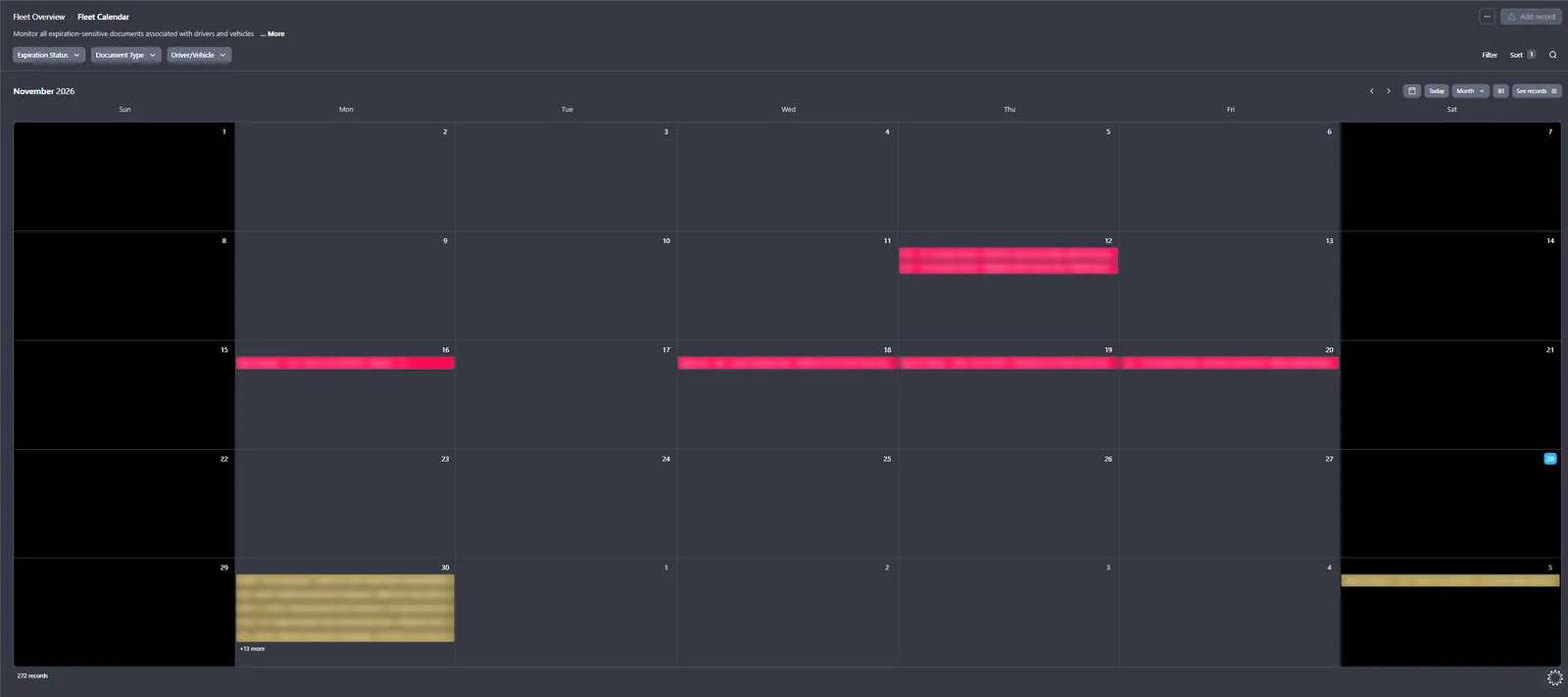
Each document moves from Missing to Active, Expiring Soon, Expired and Archived on its own. A driver’s or vehicle’s compliance is calculated from its documents, so staff update paperwork, not status flags.
Requirements live in configuration
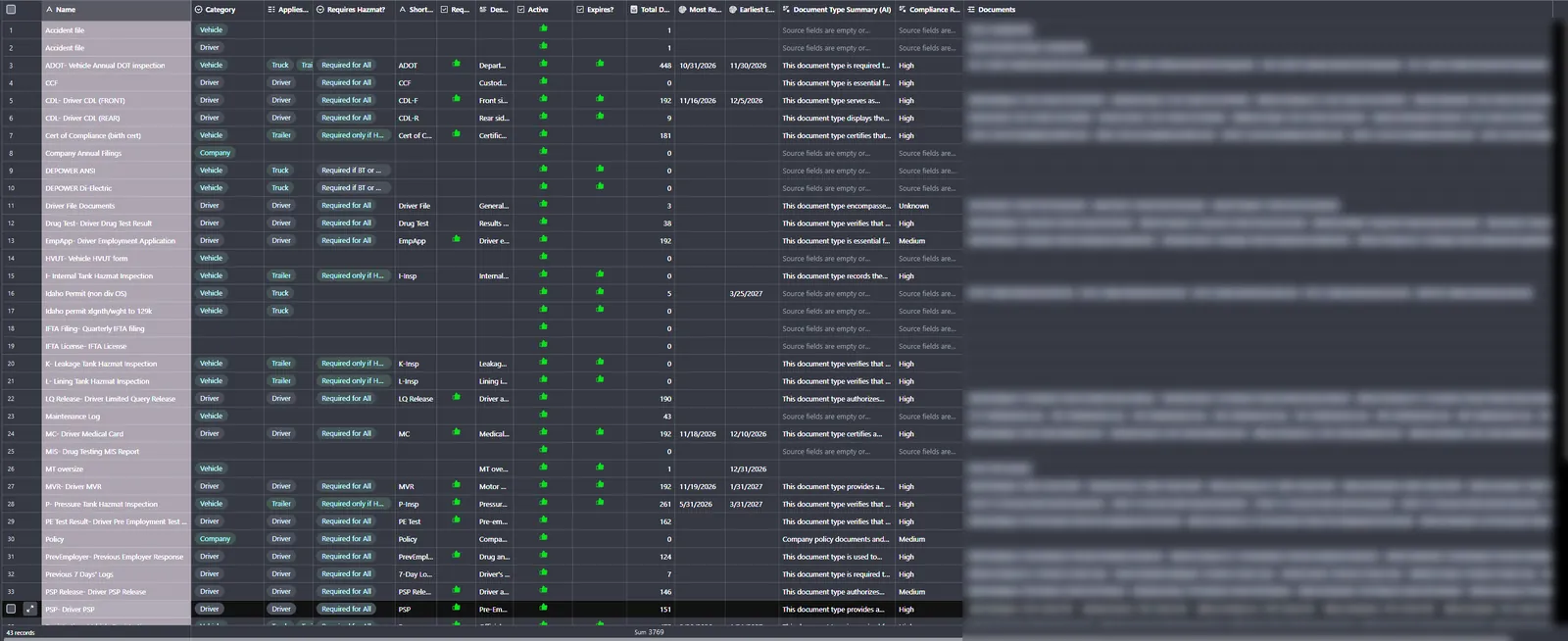
A document types table defines what each driver and vehicle needs. Adding one creates a placeholder for every required document, so gaps are visible on day one.
Archive, never overwrite
Superseded documents are archived with a date. When a driver or vehicle leaves service their documents are archived, and fully restored if they return.
Incomplete data gets repaired
If an issue date, expiry date or validity period is missing, the system works it out from the other two. Duplicate checks run on every new driver and vehicle.
A traceable migration
Legacy records came across with their original IDs kept, so any record can be traced back to the old system.
Status pushed to clients
Each client’s compliance position is compiled into a weekly report and sent automatically, and each client has its own login showing only its fleet.
Results
A complete history, and clients who serve themselves
- Live since December 2025 across two client fleets
- A $4,000-a-year tool replaced by a system running on three Airtable Team seats
- Both client fleets check their own status through their portal
- Fuel receipts and maintenance logs categorised by location, alongside the full compliance dashboard
- Rated Exceptional, 3 of 3, for the data, logic and interface layers in Airtable’s partner build assessment
“Riyike did such an incredible job building my online database that I didn’t just hire her once, I retained her monthly to maintain it and support my future projects.”
“The automation depth here is genuinely impressive.”
We have not claimed a net saving: other subscriptions in the stack are not included in the comparison.
Our role
Delivered end to end
We ran discovery, designed the document-centric data model and configuration tables, migrated the legacy data, and built the automations, scripts, staff interfaces, client portal and rollout. The second phase added fuel receipts and vehicle maintenance tracking.
Tools used
Airtable holds the data, logic and staff interfaces. Make handles file backup and report generation, and Softr provides the client portal. Google Drive is where the documents themselves live, and a Google Apps Script migration pulled every legacy file out of the old expiry tool’s API and into Drive.